


Loyalty program
Our loyalty program at Blue Lagoon has been renewed! Every regular-priced visit to Blue Lagoon earns you points, which give you benefits on your next visits.
Read more, book an appointment and start collecting points!
How the Blue Lagoon loyalty program works
Start using your benefits
Joining is easy – at Blue Lagoon, every client is a loyalty member. You can use your points and benefits and receive loyalty program messages once you’ve given your marketing consent by allowing us to send you marketing messages. You can give your consent in two ways:
- At the salon: let us know at the checkout that you’d like to give your marketing consent.
- Online: log in to our booking system at ajanvaraus.bluelagoonpos.com and activate the permissions in your profile.
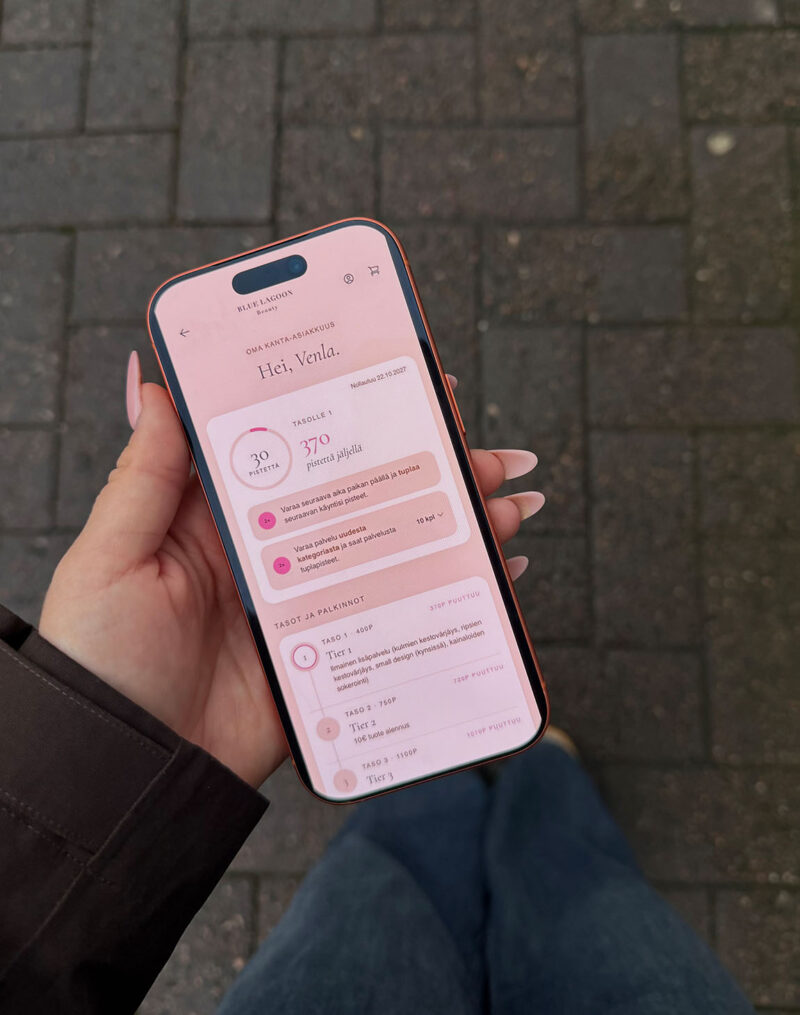
In your profile, you can see your points balance, your current benefits and the date until which your points are valid.
How you earn points
Every visit can bring you closer to your next benefit!
€1 = 1 point, which means you get one point for every euro you spend on regular-priced services at Blue Lagoon. Points are added to your profile automatically after payment. Any loyalty benefits you use are deducted from your points balance.
Your points are valid for 12 months
Your loyalty period starts with your first purchase that earns loyalty points and lasts 12 months. When the period ends, your points reset, and your next visit starts a new period. You can see in your profile the date until which your points are valid.

LEVEL 1
400 points
A free add-on.
The benefit applies to selected add-ons.
LEVEL 2
750 points
€10 off a product of your choice.
LEVEL 3
1,100 points
15% off a service of your choice.

Loyalty program terms
You can use points, benefits and loyalty messages once you’ve given your marketing consent. Points are earned on regular-priced services: 1 point for every euro spent. Points are not earned on product purchases, gift card purchases, products or services at campaign prices, permanent pigmentation or microblading.
Benefits apply to regular-priced services and products. Services at campaign prices or otherwise discounted prices don’t earn points or qualify for benefits, including for retroactively credited points.
Benefits are redeemed at the checkout. The points value of the benefit you use is deducted from your balance.
Points are valid for 12 months from your first purchase that earned points. The expiry date of your points is shown in your profile.
You’ll find up-to-date information about benefits in the loyalty view of our booking system.
Earn double points
Get double points when you book your next appointment at the salon
When you book a new appointment at the salon right after your treatment, you’ll get double points for your next visit. For example, if you book your next appointment for a €50 service, you’ll earn a total of 100 points from your new booking. Double points from the new booking are added to your account when you pay for that booking. If you have to cancel your appointment, no extra points are earned.
Get double points when you try a new service category
When you book an appointment in a service category that’s new to you, you’ll get double points for it. A new service category is one you try for the first time during your current loyalty period (12 months).

You may already have points
We credit points retroactively for regular-priced services completed through our new booking system. Retroactive points are added to your account for regular-priced services completed
- at Blue Lagoon Mylly between June 2 and October 29, 2026
- at other salons between September 14 and October 29, 2026.
Your points will appear in your profile once you’ve given your marketing consent. Services at campaign prices have not earned retroactive points.
Your loyalty program, always at hand
Save our booking portal to your phone’s home screen, and it will open with a single tap, just like an app. There you can see your points and benefits and book your next appointment.
- iPhone: open ajanvaraus.bluelagoonpos.com in Safari, tap the Share icon and select Add to Home Screen.
- Android: open ajanvaraus.bluelagoonpos.com in Chrome, tap the three-dot menu and select Add to Home screen.